LnxEffect
Lighting Control
Fixture Management . Wiring · Effect Creation · Device Management
No Registration Required . Free to Use . User-Friendly Interface . What You See Is What You Get.
- Fixture Model Editor: Maintain and create fixture models
- Fixture Wirer: Pixel light source supports CAD DXF file import
- Fixture Wirer: Supports 3D spatial arrangement of stage moving head lights
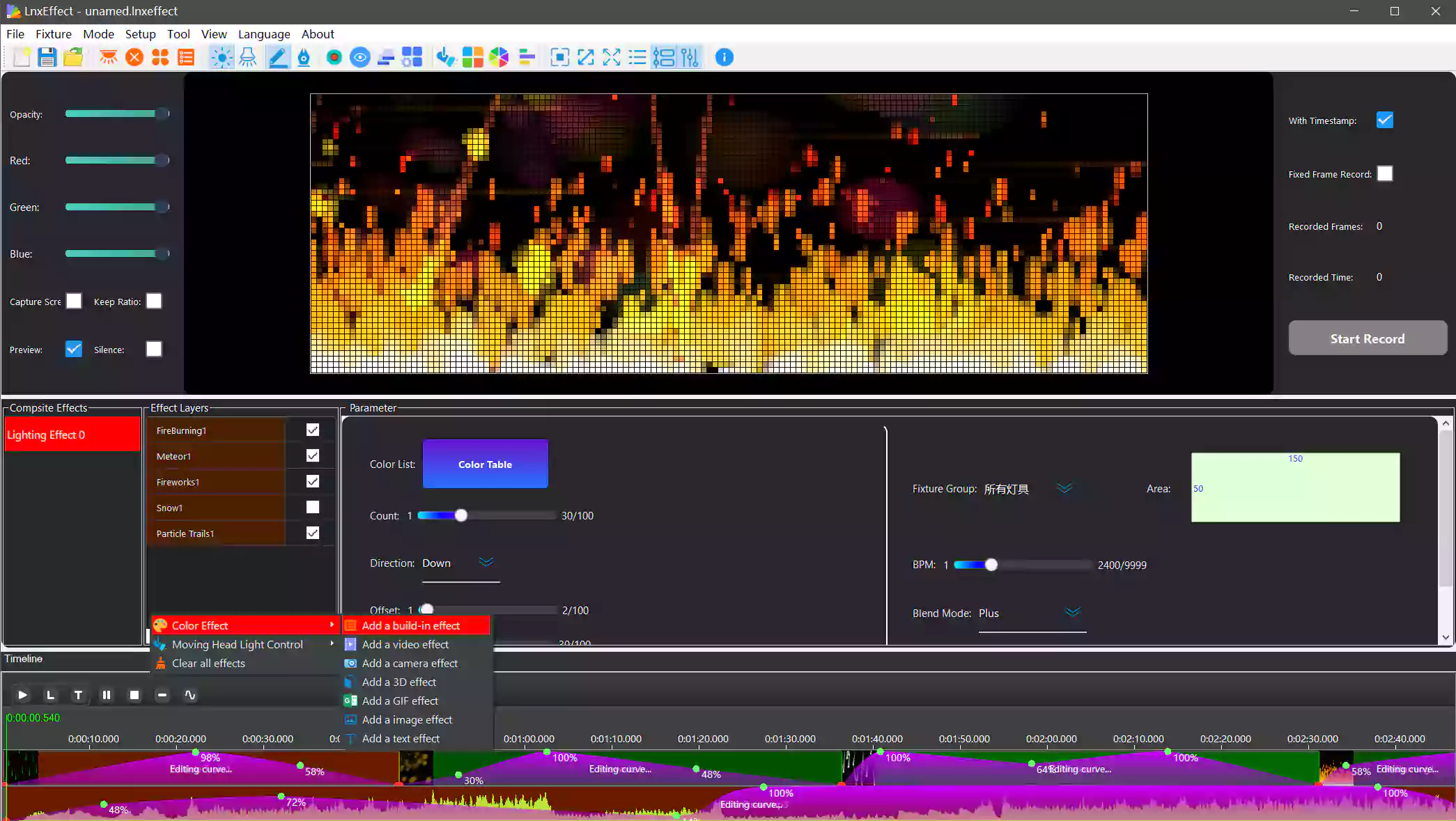
- Effect Creation: Extensive built-in effect library with numerous adjustable parameters
- Moving Head Control: Create stage moving head lighting control effects
- Sound-Activated Synchronized Effects: Supports timeline-based audio and lighting synchronization editing
- ArtNet Recorder: Record third-party lighting effects for offline playback
- Edit Recorded Files: Define in-points and out-points
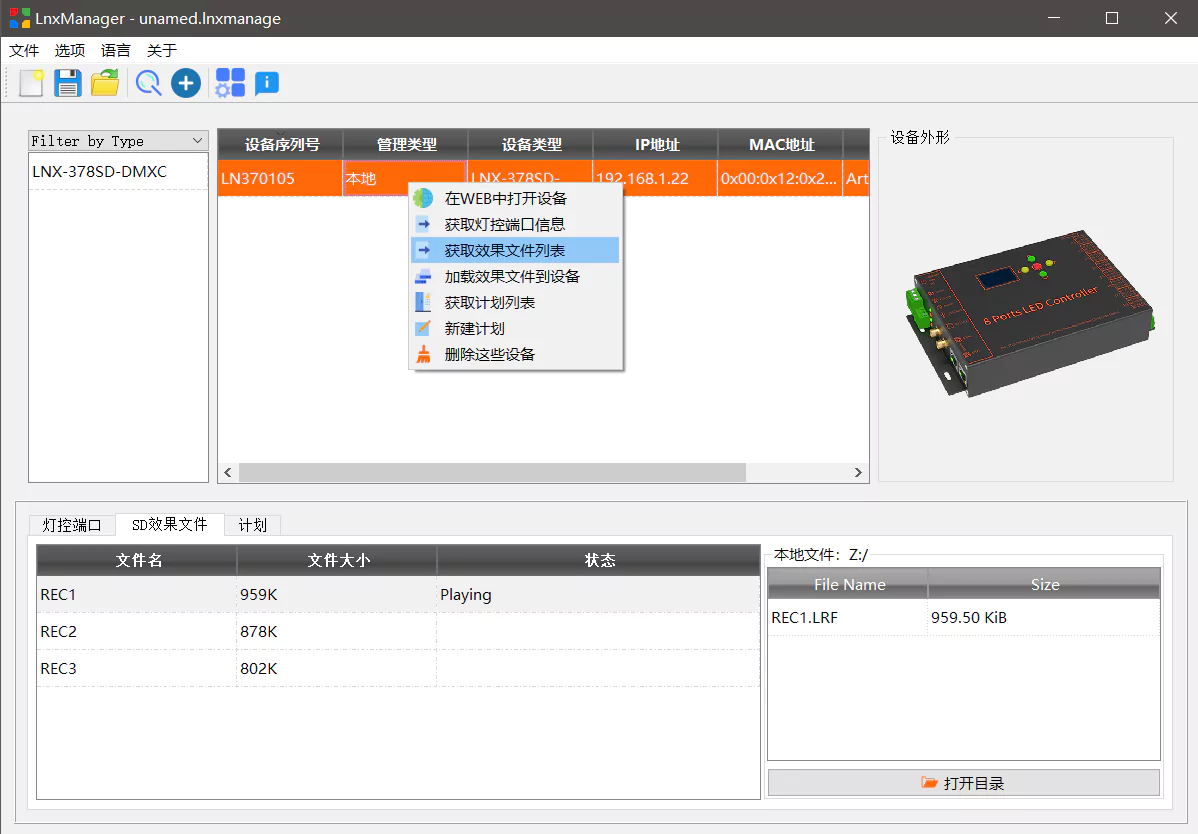
- Device Manager: Centrally manage or upgrade Lynx devices
End-to-End Lighting Control Workflow
LnxEffect provides a complete software suite for professional lighting control, from fixture creation to effect playback.

LnxFixtureEditor
Create & Manage Lighting Fixtures
Design and customize lighting fixture models for pixel lights, moving heads, and other DMX fixtures.
- Maintain and edit existing lighting fixture properties and channel definitions
- Create new fixture models with customizable channel configurations
- Support for pixel lights, moving heads, and various DMX fixture types
- Import/export fixture library files compatible with industry standards
- Visual channel editor with real-time preview of fixture behavior
LnxPatcher
Intelligent Fixture Wiring Tool
Place fixtures in virtual space matching physical installation, with advanced import capabilities.
- Import DXF/DWG CAD files for accurate fixture placement
- Import/export wiring data from/to Madrix5 for compatibility
- 3D spatial arrangement for stage moving head lights
- Quick marquee selection, drag-and-drop positioning
- Real-time pixel mapping output visualization
- Save and export wiring files for use with LnxEffect


LnxEffect
Advanced Lighting Effect Creation
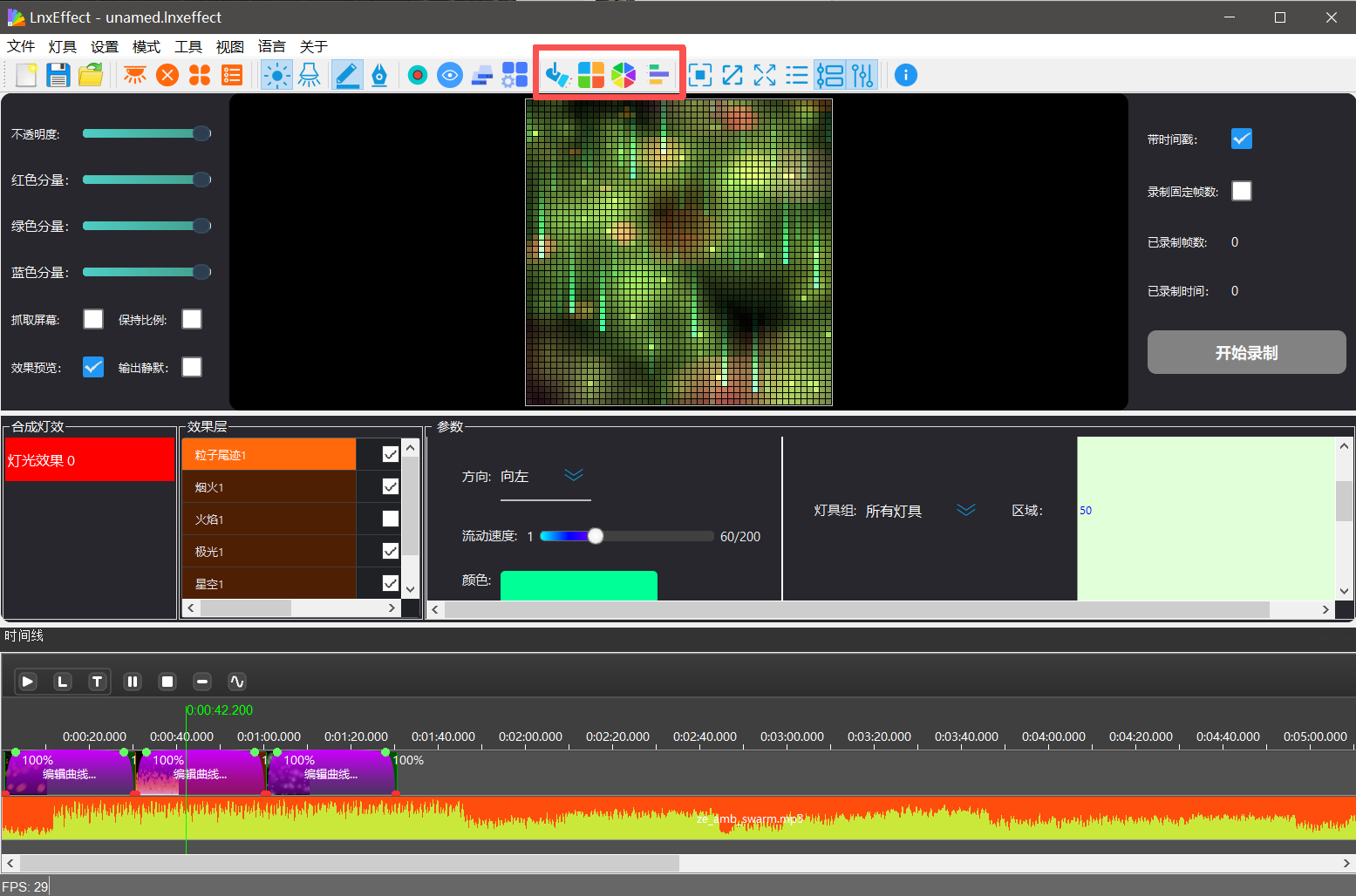
Create stunning lighting effects with multi-layer composition and real-time preview.
- Multi-layer effect composition with timeline editing
- Extensive built-in effect library with adjustable parameters
- Support for video files, screen capture, GIF effects, and text layers
- Sound-activated synchronized effects with audio timeline
- Real-time preview of effects on virtual fixture layout
- ArtNet recording for capturing third-party lighting effects
Recording & Playback
Professional Output Management
Record, edit, and play back lighting effects on hardware controllers.
- Real-time ArtNet output to lighting controllers via Ethernet
- Record lighting effects to files for SD card playback
- Edit recorded files with frame-by-frame precision
- Define in-points and out-points for effect segments
- Schedule playback on devices with timing control
- DMX channel triggering for effect selection

LnxManager
Network Device Management
Discover, configure, and manage LINETX lighting control devices across your network.
- One-click search for all LINETX devices on the local network
- Centralized management of device configurations and settings
- Upload and download lighting effect files to/from devices
- Remote firmware upgrades for supported devices
- Device status monitoring and diagnostics
- Batch operations for managing multiple devices simultaneously
Ready to Create Stunning Lighting Effects?
Download LnxEffect software suite completely free - no registration required, no limitations. Start creating professional lighting effects for your projects today.
Compatible with Windows 10/11. Supports ArtNet, sACN, DMX512, and LINETX hardware controllers.